With Pay by Phone bingo sites, you can easily fund an account using your mobile phone and gain access to amazing games and huge possible payouts. Check out our list of recommended sites that allow you to use Pay by Phone services to fund and manage your account. Check out the great bonuses you can receive when you sign up and create a new account.
Table of Contents
- How Does Pay By Phone Work?
- 50+ Pay by Phone Bill Bingo Sites
- How to Use Pay By Phone for Bingo Games
- Great Levels of Security with Pay by Phone
- Drawbacks to Consider
- FAQ
- Conclusion
How Does Pay By Phone Work?
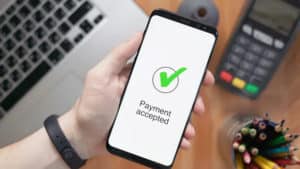
When you are looking to engage in real money bingo games online, you will have to deposit to an account to purchase bingo cards. One of the great alternatives to using traditional banking methods is to fund an account using your mobile phone. When you access any of our Pay by Phone Bingo sites, you will enjoy a payment method that can instantly add funds to the account using your mobile phone account. You can also use a PAYG balance to fund the bingo account.
One of the more popular methods that are supported at leading sites is Boku, but you will also find other trusted options such as PayForIt and Zimpler. All of these methods will allow for instant deposits to be conducted and you will never have to provide a bingo site with any of your personal or financial details. All you need is a mobile phone, an account, and an active phone number.
50+ Pay by Phone Bill Bingo Sites
| SITE | BONUS | SOFTWARE | LICENCE |
|---|---|---|---|
| Wink Bingo | Deposit Just £10, Get £50 Bonus. No Code Required. | Dragonfish | UKGC, AGCC |
| Bingo Diamond | Get £40 Bonus + 200 Free Spins | Pragmatic Play | UKGC, MGA |
| Butlers Bingo | Get £40 Bonus + 200 Free Spins on Reel Splitter | Pragmatic Play | UKGC, MGA |
| Glossy Bingo | Get £40 Bonus + 200 Free Spins on Reel Splitter | Pragmatic Play | UKGC, MGA |
| Dotty Bingo | Get £40 Bonus + 200 Free Spins on Reel Splitter | Pragmatic Play | UKGC, MGA |
| Bucky Bingo | Get £100 Bonus + 20 Free Spins | Playtech | UKGC, AGCC |
| 888Ladies Bingo | Deposit £10 & Play with £50 + 15 Free Spins | Dragonfish | UKGC, AGCC |
| MrQ Bingo | Get 30 Free Spins, Use Promo Code: BASSM30 | Proprietary | UKGC |
| Rosy Bingo | Get £40 Bonus + 200 Free Spins | Pragmatic Play | UKGC, MGA |
| Robin Hood Bingo | Get £50 Bonus + 50 Free Spins | Dragonfish | UKGC |
| Tip Top Bingo | Get 200% Bonus Up To £30 + 30 Free Spins | Dragonfish | UKGC |
| Ted Bingo | Get up to £700 Welcome Bonus | Dragonfish | UKGC, AGCC |
| William Hill Bingo | – | Virtue Fusion | UKGC, AGCC |
| Costa Bingo | Deposit £10, Play with £40 + 30 Free Spins | Dragonfish | UKGC, AGCC |
| Fabulous Bingo | Deposit £10, Play with £30 + 30 Free Spins | Virtue Fusion/Playtech | UKGC |
| Betfred Bingo | Get £10 Bingo Bonus + 100 FREE Spins. No Wagering on Winings | Playtech | UKGC, AGCC |
| Mecca Bingo | Deposit £10, Win Up To £120 | Playtech | UKGC |
| Two Fat Ladies | Deposit £10, Play with £50. Use Code: FAT50 | Dragonfish | UKGC, AGCC |
How to Use Pay By Phone for Bingo Games
When you access any of our bingo sites that support phone payments, you will find this is one of the easiest banking methods. You will start by choosing a reputable site that offers the real-money bingo games you wish to play. After creating an account, you will visit the site cashier to select a mobile phone payment method.
Once the screen appears, you will enter your phone number and the amount you wish to deposit into your account. You will then receive a text with a code that authorises the transaction or activation code that you will have to enter the site cashier. If you receive a confirmation message, the phone you are currently using must be the one that will be used to make the payment.
Once you have confirmed the deposit details, it will be conducted instantly, and you can begin playing any of the supported real money bingo games. These games do not have to be played on a mobile device. They can be accessed on a desktop; if you choose to engage in the play, you are free to use your phone or tablet.
Great Levels of Security with Pay by Phone
One of the main concerns when playing any game online for money is the safety and security measures in place. You can be sure that all the sites mentioned here operate legally and are licensed and regulated. While this alone will provide you with secure access, you will have even more security when you pay by phone.
These payments are instant, and you do not need any bank account or credit card. Since you are using your mobile phone bill to pay the deposit amount, you never need to provide the site with sensitive data that could fall into the wrong hands. This is one of the main reasons thousands have chosen this option when funding an online bingo or casino account. With instant deposits, no provision of data and the ability to conduct transactions at any time, Pay by Phone is a great way to manage your real money accounts. You will also have to have a phone to make any deposits, so this is another layer of protection that is in place.
Drawbacks to Consider
We have discussed the ease of the instant transaction of use and the level of security in place, but you need to be aware of the disadvantages of using Pay by Phone options when funding an account. You should always know the pros and cons of any banking method to know what to expect. Below, we discuss some of the pitfalls of using this payment method.
- Very Low Deposit Limits – This is the main disadvantage you will find when you use your phone to make a deposit. Most of the services supported will have low limits, such as €30 daily when using Boku. This can be a major issue if you are a frequent online gambler or if you like to spend more money playing games. Daily limits are strict and enforced, and there is no way to alter these amounts. Paying by Phone would not be your best option if you are a mid or high-roller.
- Limits Can Restrict Bonus Access. In addition to only being able to add a certain amount to your account daily or monthly, these limits can also affect what bonuses you can redeem. Most bingo sites will offer a welcome bonus when you register and make an initial deposit, but you must deposit a certain amount to qualify. Due to the low deposit limits, you may not be able to benefit from such bonuses at certain sites.
- Does Not Support Withdrawals – When you use Pay by Phone to fund your account, you will not be able to use this same method to withdraw any winnings. That means you must select an alternative withdrawal method, so Pay by Phone is not a complete banking solution when playing real money games online.
- Not Available to All – The Pay-by-Phone option will be restricted based on where you reside and whether your mobile carrier has partnered with a pay-by-phone service. Some sites will list a pay-by-phone method as an option, but you may not always be able to take advantage of this, so it is important to check with customer support before committing to any banking method.
FAQ
Some pay-by-phone methods will have a flat fee for use, while others will be free. It is also possible that the accessed site will charge you a fee when you deposit using a pay-by-phone method.
Yes. In addition to not having to provide sensitive data to the bingo site, you will also find that regulated sites use encryption software for every transaction that is processed, so you will always benefit from fast and secure deposits.
Yes. There is no need to create an account with any service. You will need a phone and a mobile number to pay by phone, and there are no standard fees for using this banking method.
Conclusion
The pay-by-phone option is great if you want a fast and easy way to make deposits. While the deposit limits are low and you cannot withdraw using this option, it is an excellent way to start a casual gambler. You will find many top bingo and casino sites offering trusted pay-by-phone banking methods that provide instant deposits with great options.